


![[👍 Bestseller] WattCycle 12V 314Ah Mini Basic LiFePO₄ Battery – Compact Size, High Capacity](http://www.wattcycle.com/cdn/shop/files/WT12V314AH200MINI_ea4d738c-93d2-43e7-a0de-f2985c366eba_300x.webp?v=1777023011)


![[Free Monitor] Wattcycle 48V 105Ah Golf Cart Bluetooth LiFePO₄ Lithium Battery – 250A BMS for High Torque & Hills](http://www.wattcycle.com/cdn/shop/files/WT48V105AH250GCBT_fd49751b-10f0-467d-9543-afe48c8b6ec4_300x.webp?v=1777023011)
![[Free Monitor] 48V 100Ah Golf Cart Bluetooth LiFePO₄ Lithium Battey - 200A BMS](http://www.wattcycle.com/cdn/shop/files/WT48V100AH200GC_300x.webp?v=1777023011)


![[👍 Bestseller] WattCycle 12V 314Ah Mini Basic LiFePO₄ Battery – Compact Size, High Capacity](http://www.wattcycle.com/cdn/shop/files/WT12V314AH200MINI_ea4d738c-93d2-43e7-a0de-f2985c366eba.webp?v=1777023011&width=320)


![[Free Monitor] Wattcycle 48V 105Ah Golf Cart Bluetooth LiFePO₄ Lithium Battery – 250A BMS for High Torque & Hills](http://www.wattcycle.com/cdn/shop/files/WT48V105AH250GCBT_fd49751b-10f0-467d-9543-afe48c8b6ec4.webp?v=1777023011&width=320)
![[Free Monitor] 48V 100Ah Golf Cart Bluetooth LiFePO₄ Lithium Battey - 200A BMS](http://www.wattcycle.com/cdn/shop/files/WT48V100AH200GC.webp?v=1777023011&width=320)


If you own an EcoFlow Delta 2, Delta 2 Max, Delta 3, or Delta 3 Plus, there is a good chance you have spotted a round, chunky port on the unit and quietly wondered what it is for. It does not look like any of the other inputs. It is not labeled with a solar panel icon or a wall plug symbol. It just sits there, looking purposeful, and yet most owners never use it.
That port is the XT150 expansion input, and once you understand what it does, it starts to look a lot more interesting.
What exactly is the XT150 port on EcoFlow Delta stations?
The XT150 port is a dedicated high-current DC input channel built into select EcoFlow Delta stations. Its job is to accept power from an external expansion battery, giving you a direct path to increase your station's total storage capacity beyond what the internal cells alone can provide.
It is not a multipurpose port. It does not double as a USB output or a solar input. It exists for one specific purpose: connecting a compatible external battery so your station has more energy to draw from when you need it.
If you have ever wished your Delta station could run longer before needing a recharge, this port is the hardware answer to that problem.
Why does EcoFlow use a separate port instead of routing expansion power through the solar or AC inputs? Each input on a power station operates within its own rated capacity. The solar input has a maximum wattage ceiling. The AC charging port has its own limit.
If you are also interested in other aspects of the power station's solar input port, please read the blog post: "How to Add an Extra Battery to a Power Station through the Solar Input Port?"
How much power can the XT150 port actually handle?
The XT150 expansion input on compatible EcoFlow Delta stations is rated to accept up to approximately 2,000 watts of DC input. That is a meaningful number when you put it in context.
At that rate, an external 48V 100Ah LiFePO4 battery holding around 4.8 kWh of usable energy can feed the station for several hours of continuous operation, depending on your load. For off-grid use, overnight backup, or extended outages, having that additional reservoir available changes what the station can realistically support.

How is the XT150 connector different from the XT60?
If you have worked with smaller portable power stations or RC hobby equipment, you have probably encountered the XT60 connector. It is compact, reliable, and widely used for lower-power applications. The XT60 can handle roughly 60 amps of continuous current, which is more than enough for charging laptops, small appliances, or running a drone battery battery.
The XT150 is a physically larger connector from the same family. The "150" in its name refers to its continuous current rating of 150 amps, which is 2.5 times the capacity of an XT60. That difference shows in the build: the XT150's contact pins are noticeably thicker, and the housing is wider to manage the higher thermal load that comes with moving that much current.
Why does that matter for this application? At 48 volts, delivering 2,000 watts requires roughly 42 amps of current. An XT60 would be operating near its limit under that condition. The XT150 handles it without stress, which is exactly why EcoFlow chose this connector format for the expansion port.
What kind of battery can connect to the XT150 port?
The XT150 port on compatible Delta stations is designed to accept 48V DC input, which means any external battery you connect needs to output at 48V nominal voltage to work correctly with the station.
LiFePO4 batteries at the 48V nominal level are a natural fit for this application. They are stable, have a flat discharge curve (meaning they hold their voltage consistently across most of their usable range), and are well-suited to the kind of sustained energy delivery the XT150 port is designed for.
Voltage matching is not optional with this type of connection. If the expansion battery's output falls outside the station's acceptable input range, the station's built-in protection circuitry will detect the mismatch and block the connection from functioning. This is a safety feature, not a flaw. It is there to protect both the station and the battery from the kind of damage that can occur when mismatched voltages interact.
This is also why you cannot simply connect any available battery to the XT150 port and expect it to work. The 48V requirement is fixed, and it is the first specification to verify before making any purchase decision.
What is a WattLINK Extra Battery M8 to XT150 cable?
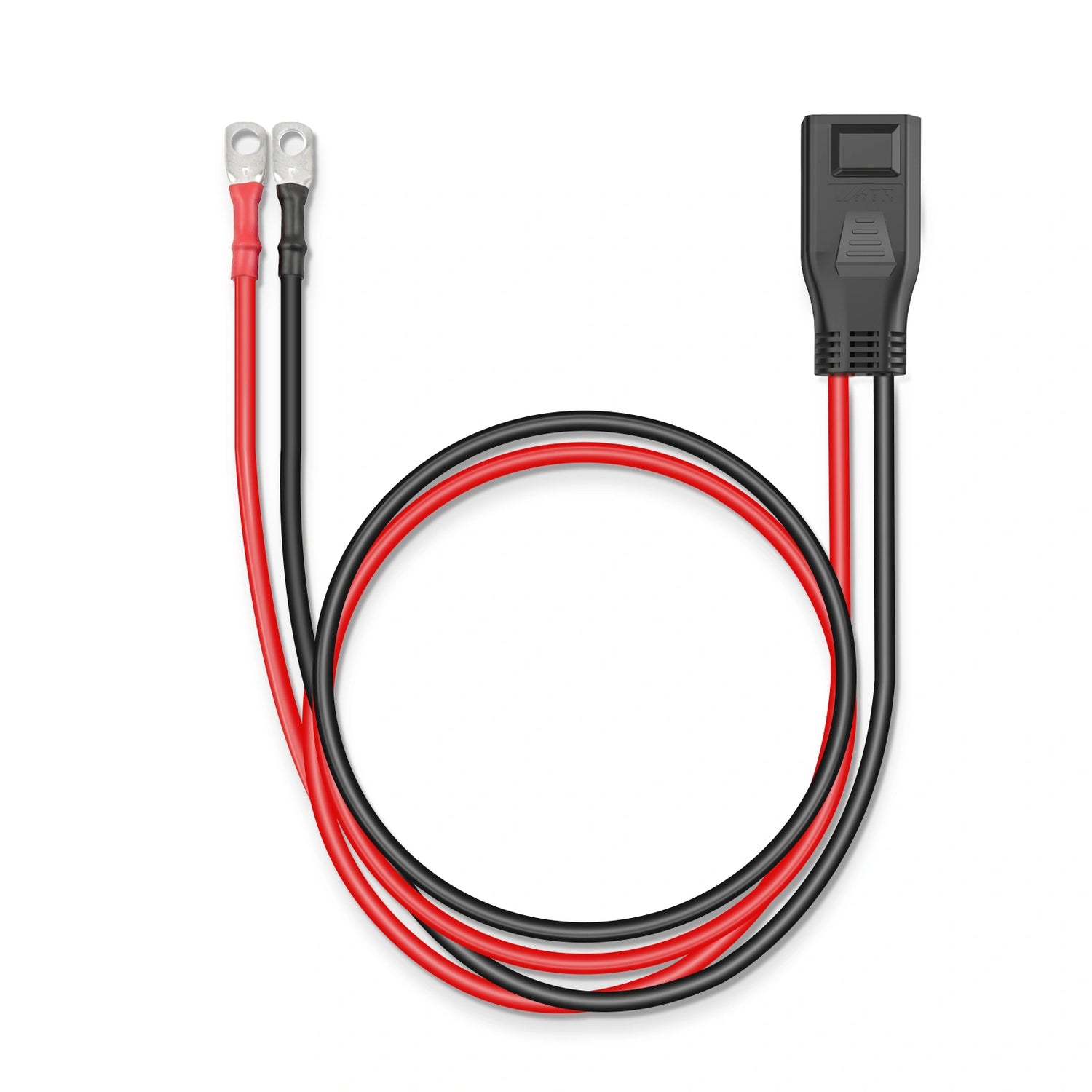
WattLINK Expansion Adapter Cable
An M8 to XT150 cable is an adapter cable with two different connector types on either end. One end uses M8 bolt-style terminals, which is the standard connection format found on most standalone LiFePO4 batteries, solar charge controllers, and inverters. The other end uses an XT150 connector, which mates directly with the expansion port on compatible EcoFlow Delta stations.
The WattLINK EF PPS Expansion Cable is exactly this type of adapter. It is purpose-built to carry the current demands of the XT150 input without acting as a bottleneck, so you get the full benefit of the expansion channel rather than a connection limited by the cable itself.
Why do you need an adapter cable to connect a third-party battery to the XT150 port?
When EcoFlow sells its own branded expansion batteries, those units come with proprietary connectors that mate directly with the Delta station. Third-party batteries, including most standalone LiFePO4 batteries, use M8 bolt-style terminals as their standard output connection. M8 terminals are reliable, secure, and designed for high-current applications, but they are not physically compatible with the XT150 socket on an EcoFlow station.
Without a proper XT150 cable bridging these two connector formats, there is simply no way to make the physical connection, regardless of whether the voltage and capacity specifications are a perfect match on paper. The adapter cable is what turns a compatible 48V LiFePO4 battery into a working expansion source for your station.
The WattLINK EF PPS cable is built and rated specifically for this role. It is compatible with the EcoFlow Delta 2, Delta 2 Max, Delta 3, and Delta 3 Plus, and is tested for use with WattCycle's 48V 100Ah LiFePO4 battery.
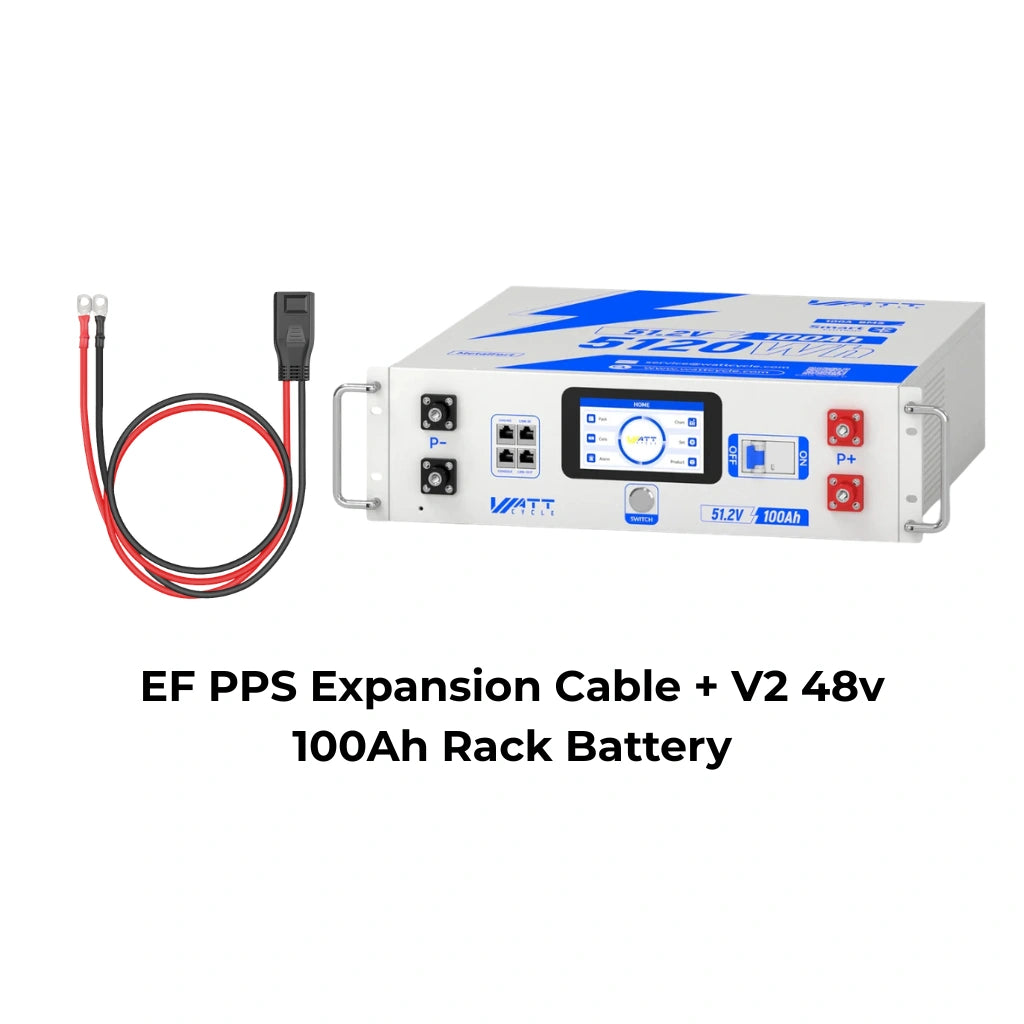
WattCycle 48V Sever Rack Battery
We’ve prepared an exclusive offer for you. Use discount code BLOGEXTRA at checkout to get 6% off your order. It’s our way of saying thanks for being a blog reader.
What safety rules should you follow before connecting an expansion battery through the XT150 port?
Following a few straightforward steps before your first connection protects both your equipment and your battery.
- Check polarity before connecting: The M8 terminals on your battery are marked positive and negative. Connect the red cable lead to the positive terminal and the black lead to the negative. Reversing polarity can cause immediate damage to both the battery and the station.
- Match the state of charge before connecting: If your EcoFlow station is at 20% and your expansion battery is at 90%, plugging them together abruptly forces a large inrush current as the two systems try to equalize. Bringing both to a similar charge level before connecting reduces stress on the cells and the cable.
- Stay within the two-battery parallel limit: The XT150 expansion system on compatible Delta models supports a maximum of two external batteries connected in parallel. Connecting more than two is outside the supported configuration.
- Understand how SOC tracking works: Your EcoFlow station and a third-party expansion battery manage their own state of charge independently through separate BMS systems. The station's display reflects its internal cells only. Do not expect the station's percentage readout to account for the expansion battery's stored energy as a single combined figure.
- Let the protection system work as intended: If the station detects a voltage mismatch or fault condition, it will block the connection. Do not attempt to force it. Check that the battery voltage is within the acceptable input range and that all terminals are connected correctly before trying again.


![[👍 Bestseller] WattCycle 12V 314Ah Mini Basic LiFePO₄ Battery – Compact Size, High Capacity](http://www.wattcycle.com/cdn/shop/files/WattCycle_12V_314Ah_MINI_Lithium_Battery_1.webp?v=1764766543&width=300)


Comments
Leave a Comment