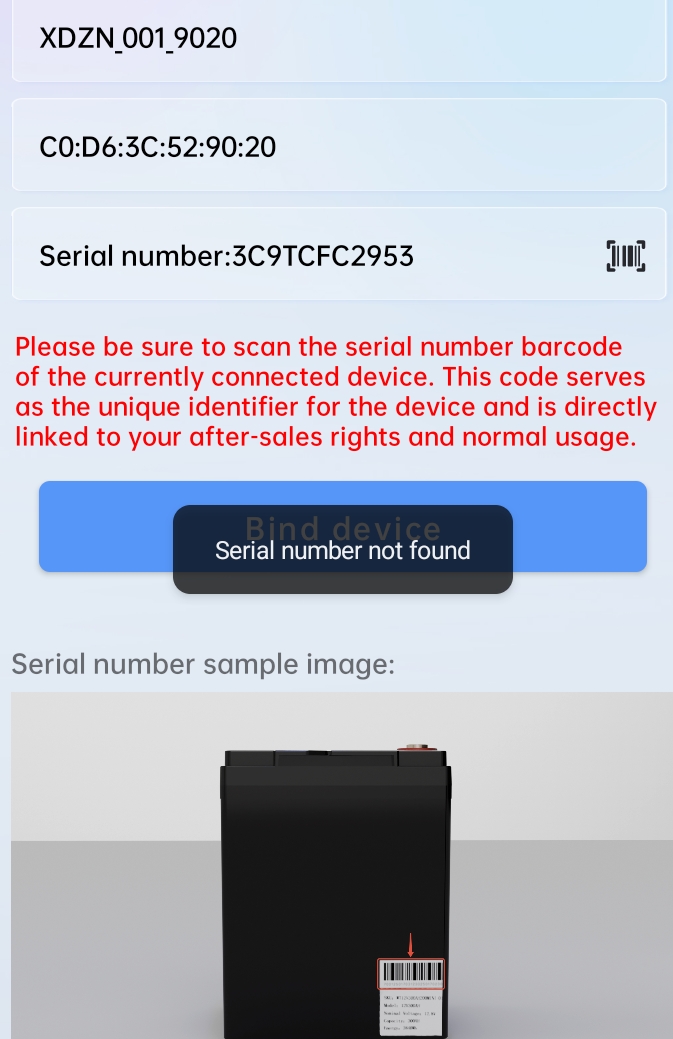
I have installed the beta. Looks good, I could successfully register and bind the battery. I still can access the battery with the official app, though. How does the binding prevent unauthorized access? Is there an update for the BMS that I also need to install?
Joey, could you give us some insights how it's supposed to work, please?
I had a terrible time scanning the barcode. It just wouldn't work. The camera looked like it had poor contrast and wasn't focused well. I had to enter the serial number manually. What a pain that was...
I don't like the idea of having to make an account and bind the batteries just to be able to use all of the features of the app. If you don't have internet you are screwed.
I think a pin like Victron uses would be a much better method. It requires no account, works without internet needing to connect back to the factory, and is simple to setup and use.
Yes, a bit of a pita, but at least it works. (Cannot change any settings without binding). Still having issues with one battery at 40% and the other at 98%. So it definitely needs more work.
@Joey OK, I'm having problems with this version of the app disconnecting from the batteries. It's done it a few times now in the first 24 hours. Then is difficult to reconnect (or even to see the batteries in BT).
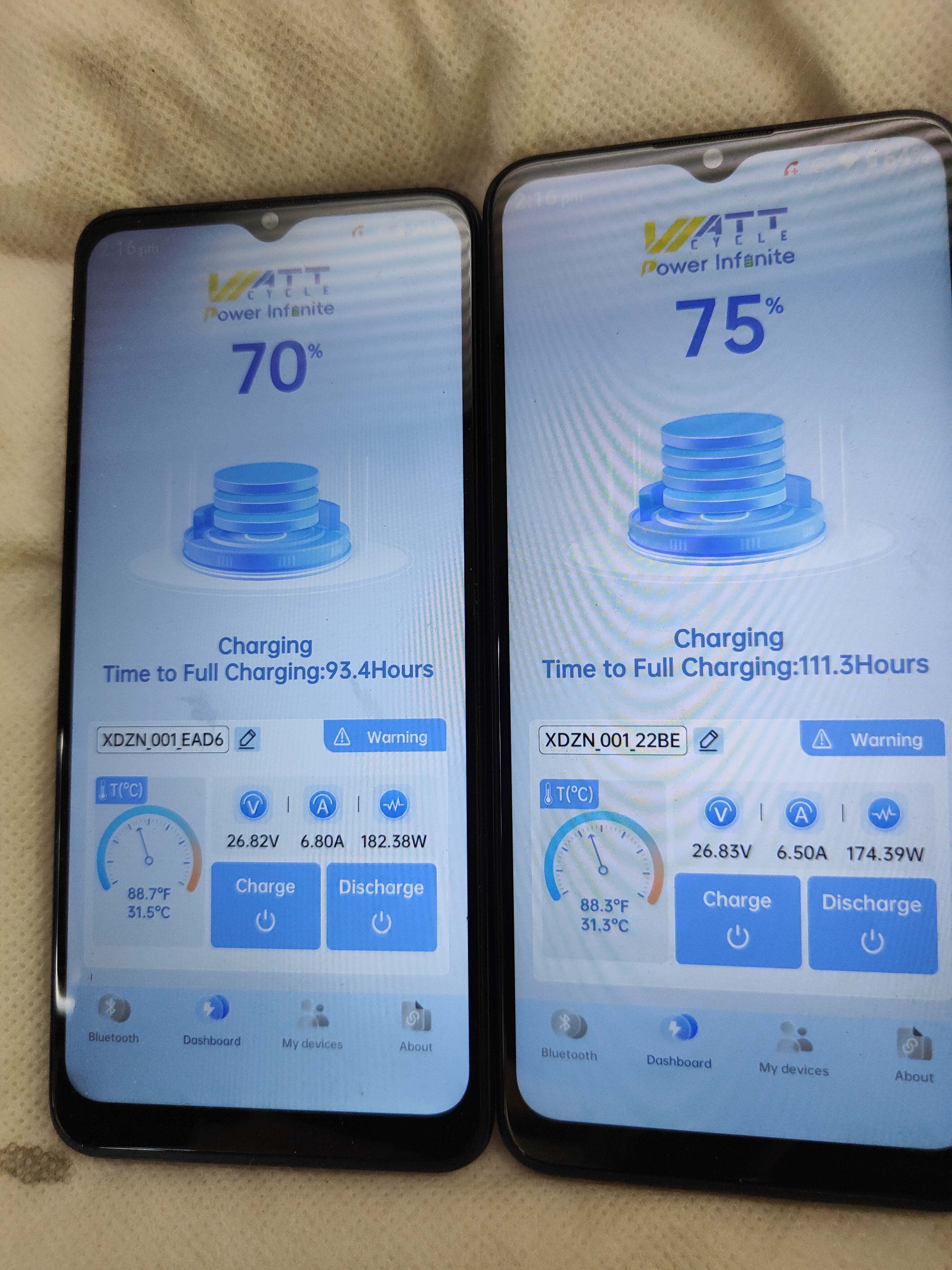
I'm also (still) having problems with unbalanced charge/discharge. Last night I had Bat1. at 44% and Bat2 at 88%. Ran the aircon because it was pretty hot and this morning Bat1. is at 15 % and Bat 2. is at 43% but Bat 1. is Discharging 4 amps into Bat 2. even though there was plenty of solar coming in. I had to turn off Charging on Bat 2. to get Bat 1. to take anything in (it's now pulling 16 amps from the solar). These two batteries (25.6v 314ah ultrasmart, in parallel) have had this problem since I got them a couple of months ago. Bat 1. is almost always at half the charge capacity of Bat 2. And the shunt/monitor reports them (collectively) as full (99%) with Bat 1. at 55% and Bat 2. at 98%.
@peterp After binding (with the new Android app) I can still can disable discharge (switch off load) with the IPhone app. Toogling charge doesn' seem to work, it says "saved" but reverts back.
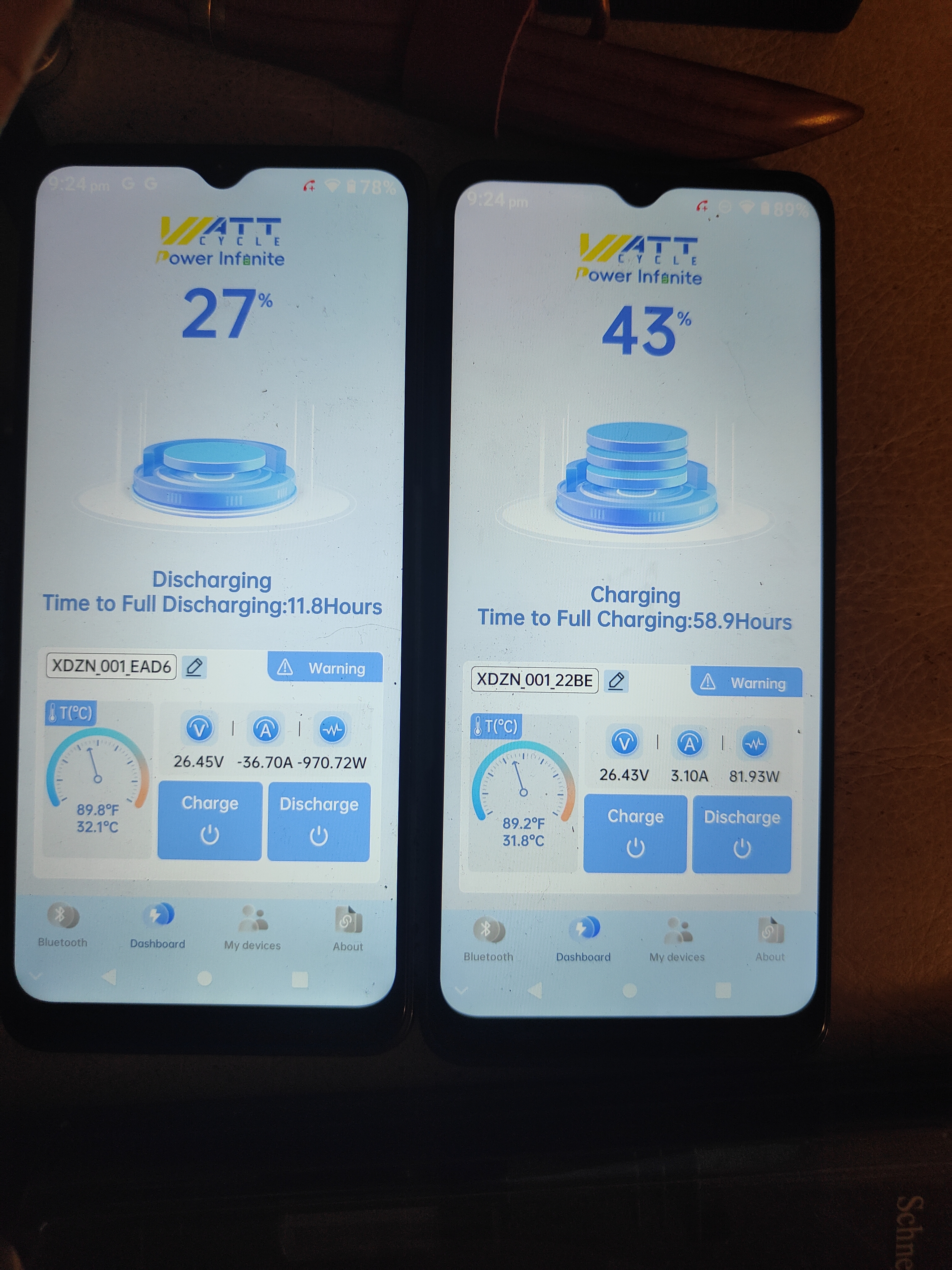
@Joey . The new app has my batteries bahaving very strangely. Two (24v 314ah UltraSmart) batteries in parallel. As we see in the picture, with a 33amp load on the system, Bat 1. is putting out 36 amps while Bat 2. is taking in 3 amps. It even does this with solar power coming in and no load. Bat 1. will still put out a number of amps while Bat 2. is taking in all of the solar power (>15 amps). So, if I want to charge Bat 1. I have to turn off charging on Bat 2. (which also stops it discharging!) This is a serious issue.
@Tom Westhoff I'll have to look into that tomorrow, Tom, but yesterday I managed to get things running better. I took both batteries to under 20% then charged them up with mains power. After getting them both to 100% they are now tracking much better. I realized that although B1 was reporting much lower charge, it in fact had a higher voltage by up to half a volt. getting them both to 100, they are now looking as they should regarding reported voltage and charge. I have a day off tomorrow so I can play with them a bit and look more closely at their bahaviour. I'll report back in 18 hours or so. But yes, turning off charging has most often resulted in discharge stopping and vise versa. Extremely frustrating. (and no, after it 'automatically' turns off, discharge cannot be turned on unless charging is turned back on).
@Tom Westhoff Sorry, yes, the 25_11.11.beta4. The beta does now work with 24v batteries (parallel works anyway) but this behaviour has been happening for a while now. I'll post a vid showing what happens, but basically if I turn of charging, discharge turns off too a few seconds later. And same with turning off Discharge, charge turns of automatically. Their lights stay lit, but the functionality stops. If I turn off charging on B1, and its discharge turns off, I can get it to come on again by turning B2's discharge off, so B1 has to power the system. But this is the only way I can get around this issue. I'm sure they will fix it (sometime) but it's quite frustrating for now and quite odd behaviour too.
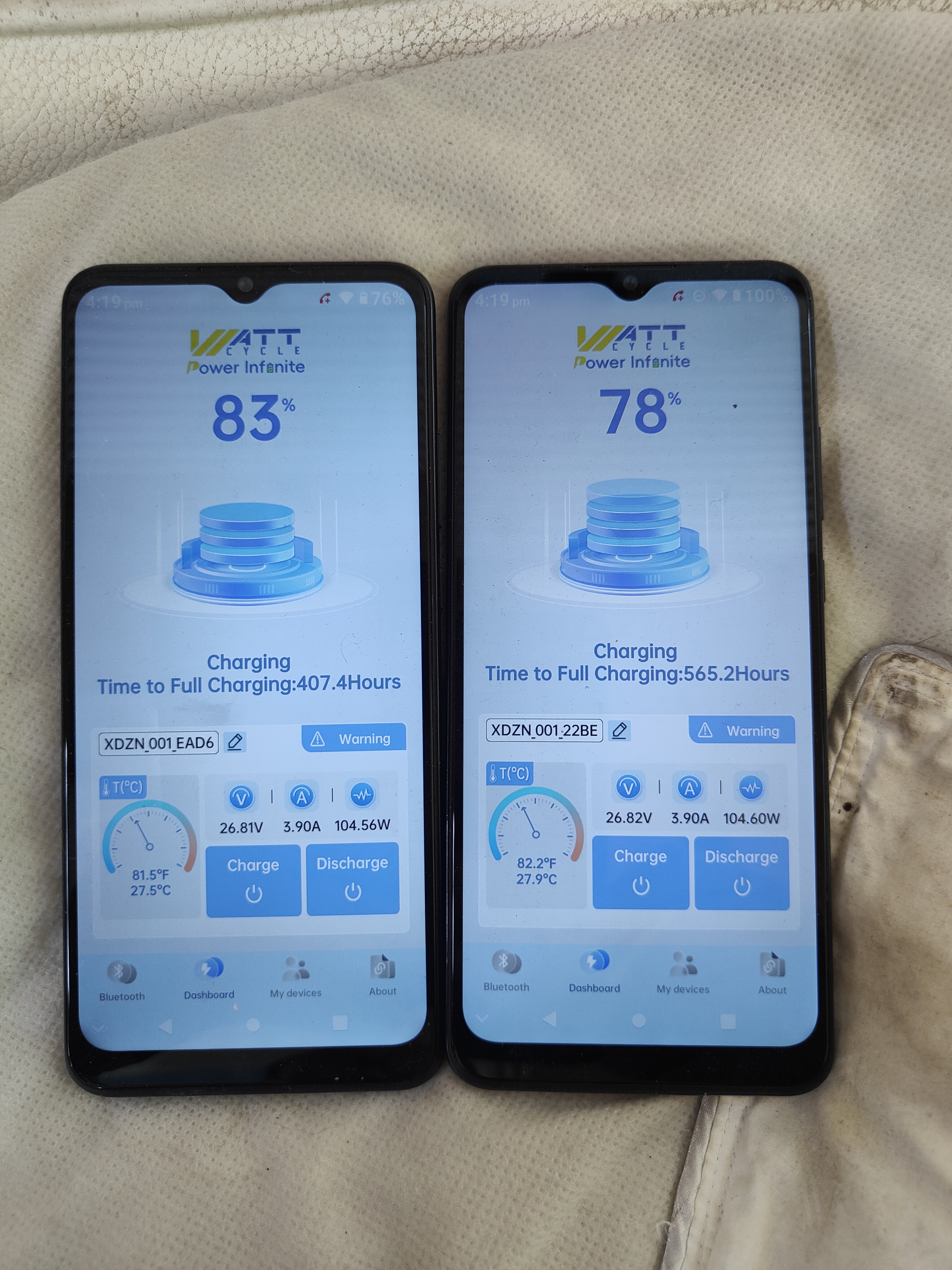
Meanwhile, B1 is still discharging faster than B2 and always reporting a lower state of charge. (Though they are much closer than they were last week). Both are reporting less charge than the shunt says they have. I assume they are still calibrating, or maybe the app is a little buggy?
@peterp That is not working correctly. With 12V in parallel it is much better behaved. This version does not work as well as the last stable (in store) version. I hope they fix this soon.
@Tom Westhoff No, the vid won't play for me either. (It just showed how everything went off if you turned off discharge). They are both behaving strangely still, but not too bad. I think they are just going to take a long time to balance properly and for their BMS to work out exactly what they each hold. Still getting higher charge reported with a lower voltage than the other (but now B2 is showing less charge). They'll get there in the end, I'm sure. (As will the app).